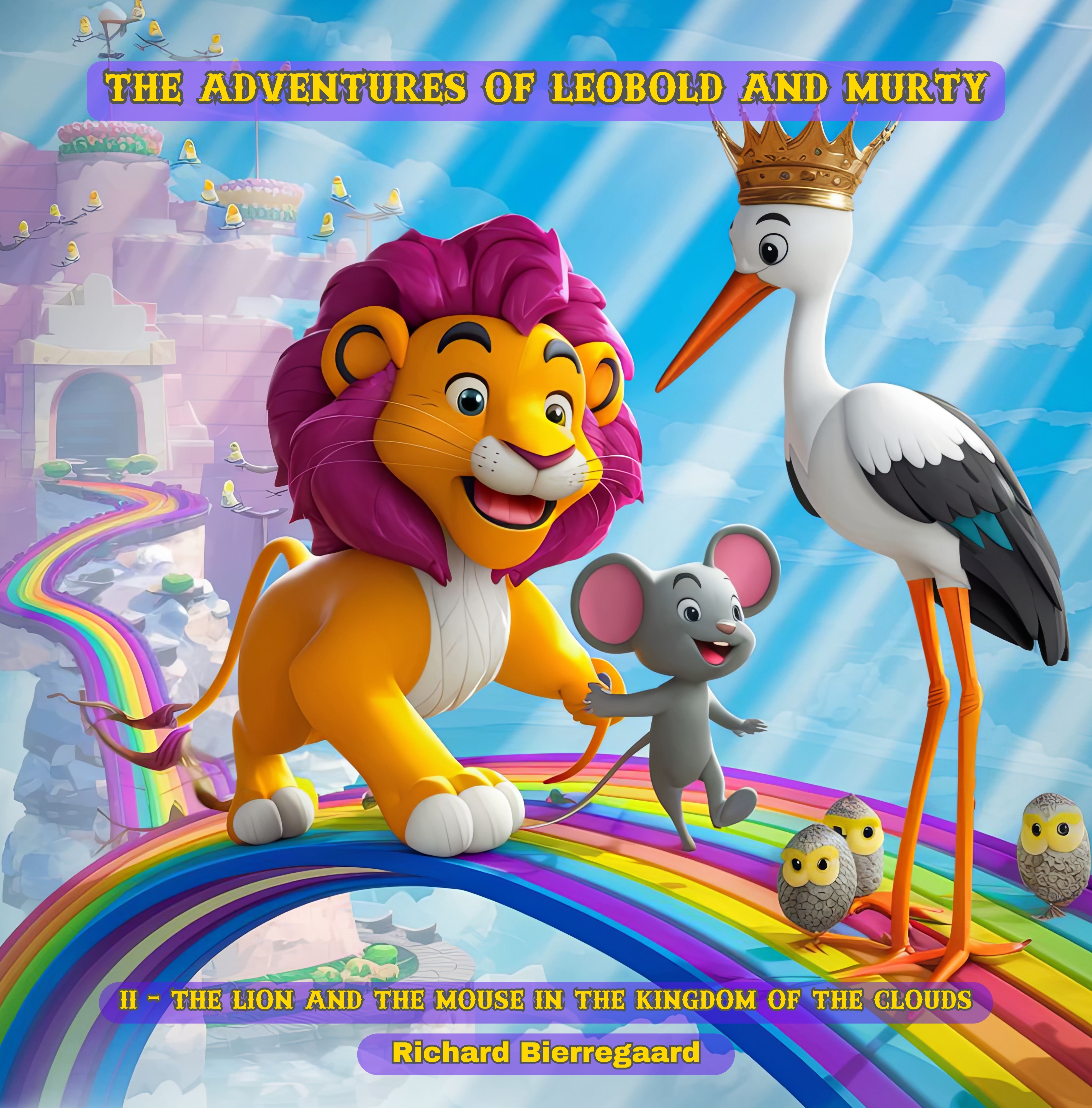
The Adventures of Leobold and Murty: The Lion and the Mouse in the Kingdom of the Clouds
Digital Children's Storybook Adventure
$3.49$2.99
Join Leobold the Lion and Murty the Mouse on a magical adventure through the Kingdom of the Clouds! This enchanting digital storybook showcases vibrant illustrations and an engaging narrative that ignites imagination and imparts valuable lessons. Ideal for children, families, and fans of fantastical journeys.
Embark on a magical quest with Leobold the lion, Murty the mouse, and their companions as they discover the enchanted Kingdom of the Clouds. This beautifully illustrated children's book boasts colorful artwork and a touching tale that teaches themes of friendship, bravery, and kindness. Perfect for bedtime or storytime, it’s certain to enchant young readers and their families.
In the whimsical world of Wiggleberry, an extraordinary bond forms between the courageous lion Leobold and the clever little mouse Murty. Their eagerness for adventure takes flight when they decide to seek out the legendary Kingdom of the Clouds.
In the chapter "The Tree of the Clouds," Leobold and Murty design a whimsical hot air balloon and rise through the sky's blue expanse, discovering a stunning realm where the graceful Stork Queen Eleanora reigns over a kingdom of birds. However, the wicked Raven King has taken the precious Sun Jewel, depriving the cloud kingdom of its source of light. With cleverness and bravery, the duo confronts tricky riddle challenges to recover the stolen gem, restoring the kingdom's brilliant light.
Their adventures continue in "The Coral Amulet" chapter, as they journey deep below the waves in a magnificent submarine to the captivating underwater kingdom of the Octopus King Ollie. Once again, they must call upon their courage and intelligence to overcome the fearsome Shark Baron and reclaim the stolen Pearl of the Depths that lights up the ocean realm.
No distance is too great for Leobold and Murty's quests, as in "The Crystal of Zartar" they soar through the cosmic marvels to a remarkable alien world. On the rainbow-colored planet of Zartar, governed by the jeweled Lizard Queen Selenia, they tackle the Shadow’s mind-bending riddles to retrieve the stolen Star Gem that serves as the kingdom's radiant life force.
Yet their adventures go even further back in the "The Scale of Pyrothrax" chapter, where they build a time machine to journey to a legendary age when dragons ruled the skies. In this ancient land overseen by the powerful Dragon King Pyrothrax, they dare to confront the Shadow Serpent's lair to recover the stolen Crystal of Flames, bringing warmth back to the dragon kingdom's fiery splendor.
Filled with excitement, humor, and an abundance of heart, Leobold and Murty's remarkable adventures amid realms of clouds, coral, stars, and even the mists of time will captivate readers of all ages in this whimsical, imaginative fantasy celebrating the strength of unyielding friendship.
Written in the style of Edward Lear.
Downloading and Printing Your Ebook PDF
Congratulations on your purchase! Follow these simple steps to download and print your PDF ebook.
Downloading the PDF
Check Your Email: Immediately after your purchase, you should receive a confirmation email from BooksByArgus. If you don't see it in your inbox, please check your spam or junk folder.
Locate the Download Link: The email will contain a section titled "Your download is ready."
" Click the download link provided with the name of the ebook you purchased or the “Download file” button. Note: For security, this link will expire after a set time of 48 hours. If your link has expired, please contact customer support.
Save the File: Clicking the link will initiate the download.
Desktop/Laptop: Your browser will usually prompt you to choose a location to save the file. Select a memorable location, such as your "Downloads" folder or "Desktop."
Mobile Device: The file will typically save directly to your device's default download location.
Verify the Download: Ensure the file has fully downloaded. The file name will end with the extension .pdf.
Printing the Ebook
Open the PDF: Locate the saved .pdf file and double-click it. It should open automatically in your system's default PDF viewer (e.g., Adobe Acrobat Reader, Google Chrome, or Preview on Mac).
Access the Print Dialog:
Go to the "File" menu and select "Print," or
Use the keyboard shortcut Ctrl + P (Windows) or Cmd + P (Mac).
Configure Print Settings: Review the settings in the print dialog box:
Printer: Ensure the correct printer is selected.
Pages to Print: By default, "All" pages will be selected. If you only want to print specific chapters or sections, select "Custom" or "Range" and enter the page numbers (e.g., 10-25, 45).
Page Sizing & Handling (Scale): Choose "Fit" or "Actual Size." "Fit" ensures the content fits entirely on the page, while "Actual Size" prints it true-to-life.
Orientation: Select "Portrait" or "Landscape" based on the document layout.
Double-Sided/Duplex Printing (Optional): To save paper, select the option for printing on both sides of the paper (e.g., "Print on both sides of paper" or "Duplex Printing").
Print: Click the "Print" button to send the document to your printer.